
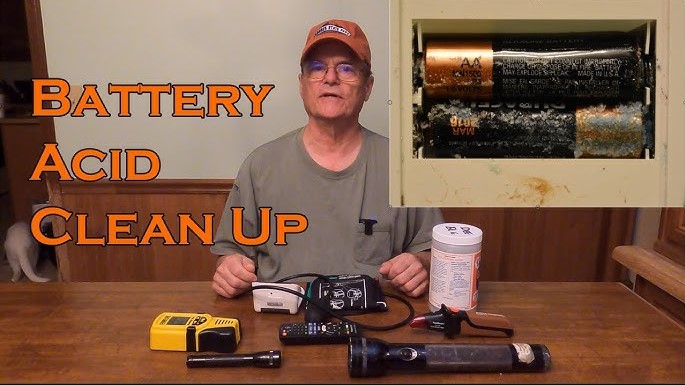
Cleaning battery acid is a vital skill for every car owner to maintain vehicle performance. By using simple household items and following strict safety protocols, you can easily remove corrosion and extend the life of your battery system.
Have you ever popped your car hood only to find a fuzzy, crusty mess sitting on top of your battery terminals? If you see blue, white, or green powdery buildup, you are looking at battery acid corrosion. It might look like just a bit of dirt, but it is actually a sign that your battery is venting gas or leaking, which can create a serious barrier to your car’s electrical flow. If you ignore it, your car might struggle to start, or worse, your electronics could begin to glitch.
The good news is that learning how to clean battery acid is surprisingly straightforward. In 2026, with the rise of modern vehicle diagnostics, keeping your terminals clean is one of the best ways to ensure your car’s performance stays top-notch. You do not need to be a professional mechanic to get this done. With a few items you likely have in your kitchen cupboard and some caution, you can have those terminals looking brand new in under thirty minutes.
Key Takeaways
- Safety First: Always wear protective gloves and goggles before you start to clean battery acid, as it is a highly corrosive substance.
- The Neutralizer: A simple mixture of baking soda and water is the gold standard for neutralizing acidic buildup on battery terminals.
- Mechanical Removal: Use a dedicated wire brush to scrub away stubborn crust without damaging the lead posts of the battery.
- Prevention Matters: Applying a thin layer of petroleum jelly or a terminal protector spray helps prevent future acid leaks and corrosion.
- Check for Damage: If the battery case is cracked or leaking heavily, do not try to clean it; replace the unit immediately for your safety.
- Maintenance Routine: Check your terminals every six months to catch signs of acid buildup before they impact your car’s electrical system.
Understanding the Basics of Battery Corrosion
Before you dive into the scrubbing process, it helps to understand what is actually happening under your hood. Lead-acid batteries, which are still the standard for many internal combustion engine vehicles in 2026, contain sulfuric acid. When the battery vents gases or when the connection between the cable and the terminal is loose, the acid can react with the metal terminals. This reaction creates the powdery substance that we call corrosion.
Why Clean Battery Acid Matters
Think of your battery terminals as the front door to your car’s electrical system. When corrosion builds up, it creates an insulating layer. Electricity has a hard time traveling through that white crust. This leads to increased resistance, meaning your starter motor has to work much harder to turn the engine over. Over time, this causes your battery to wear out prematurely and puts unnecessary strain on your alternator.
Safety Gear Is Not Optional
Let’s get serious about safety for a moment. Battery acid is caustic. It can burn your skin and damage your clothing instantly. Even if the buildup looks dry, assume it is active and harmful. You must wear heavy-duty rubber gloves and safety glasses whenever you work near a battery. If you happen to touch the residue, wash your hands thoroughly with soap and water immediately.
Gathering Your Cleaning Supplies
You do not need an expensive kit from a specialty auto parts store to get the job done. Most of the effective tools are likely already in your home or garage. Preparation is the key to a stress-free cleaning experience.
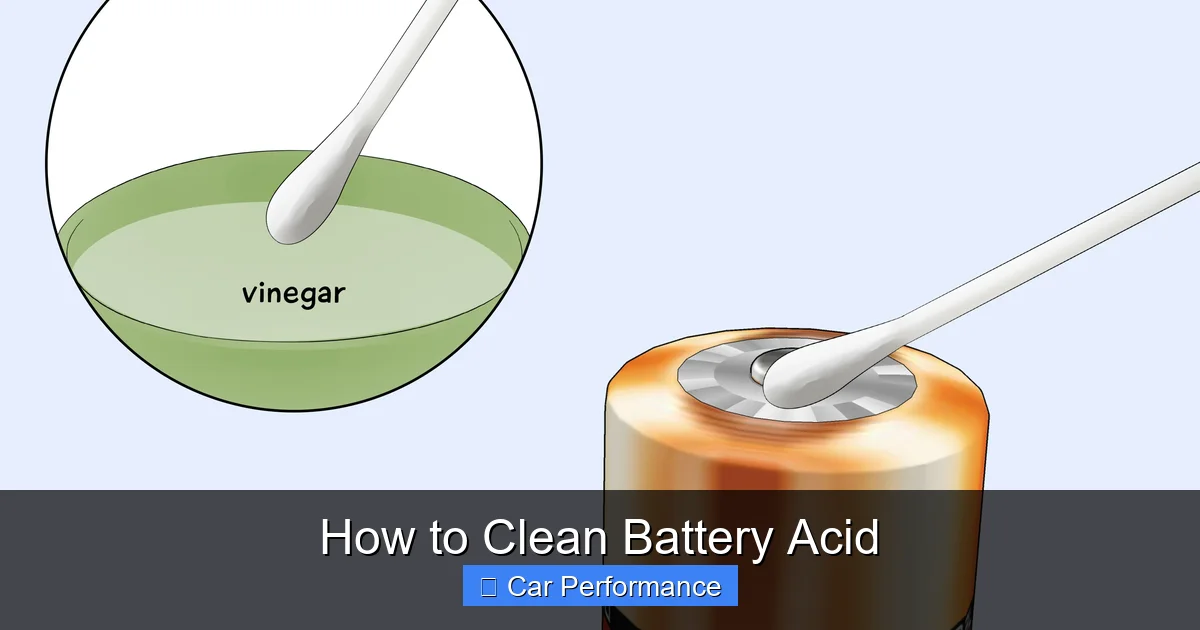
Visual guide about How to Clean Battery Acid
Image source: wikihow.com
Household Cleaning Essentials
To clean battery acid properly, you need a neutralizer. Baking soda is your best friend here. It is a base that reacts with the acidic corrosion to fizz it away harmlessly. You will also need a bit of water to make a paste. Gather a stiff-bristled wire brush, an old toothbrush for the tight corners, a spray bottle with fresh water, and some clean rags. A pair of pliers or a wrench will also be needed to loosen the cable clamps.
The Importance of a Stiff Brush
While a toothbrush is great for detail work, you need something stronger for the heavy lifting. A dedicated battery terminal brush is a small investment that makes a big difference. These usually have a cylindrical wire brush that fits perfectly over the post and another set of bristles to clean the inside of the cable clamp. Using the right tool ensures you get 100% of the metal surface area back in contact with the clamp.
Step-by-Step: How to Clean Battery Acid Effectively?
Now that you are geared up and prepared, it is time to get to work. Follow these steps in order to ensure you do not cause any electrical shorts while cleaning. The process is logical and easy to follow if you take your time.
Disconnecting the Cables Safely
Always disconnect the negative terminal first. This is crucial because if your wrench touches the frame of the car while you are disconnecting the positive terminal while the negative is still attached, you could cause a spark. By removing the negative side first, you eliminate the risk of a short circuit. Use your wrench to loosen the nut on the clamp until it can be pulled off the terminal post easily.
Applying the Neutralizing Solution
Mix two tablespoons of baking soda with a small amount of water to create a thick paste. Spread this paste over the corroded terminals. You will likely hear a fizzing sound—that is the baking soda neutralizing the battery acid. Let the mixture sit for about five to ten minutes. If the corrosion is really thick, you might need to apply a second round of paste.
Scrubbing and Rinsing
Once the fizzing stops, take your wire brush and scrub the terminals. Move in a circular motion to remove all the powdery buildup. Don’t forget to clean the inside of the cable clamps as well, as corrosion hides there too. After you have scrubbed everything, use your spray bottle filled with clean water to rinse away all the baking soda residue. It is very important to get every bit of the soda and acid off, so rinse thoroughly.
Drying and Reconnecting Your Battery
After rinsing, you need to ensure everything is completely dry. Moisture is the enemy of electrical connections. Use a clean, dry rag to wipe down the battery top and the surrounding area. If any water has pooled on the battery casing, make sure it is wiped away.
Checking for Tight Connections
Once everything is clean and dry, reconnect the positive cable first, followed by the negative cable. Tighten the clamps until they are snug. You should not be able to wiggle the cable by hand. If it moves, keep tightening. A loose connection will cause the corrosion to return much faster than a tight, secure one.
Post-Cleaning Inspection
Before you close the hood, take a final look at the battery casing. Inspect it for any cracks or bulges. If you see cracks, the battery might be leaking internally. In this case, cleaning is just a temporary fix, and you should plan to visit a shop to have the battery replaced immediately to avoid a breakdown on the road.
Long-Term Prevention Strategies
Cleaning is only half the battle. If you want to keep your engine bay looking clean and avoid future headaches, you should take steps to prevent the acid from returning. Most professional mechanics recommend a few simple habits to protect your battery system for the long haul.
Using Terminal Protectors
There are products specifically designed to coat battery terminals. These sprays leave a thin, waxy film that prevents oxygen and acid from reaching the metal. You can also use a small amount of petroleum jelly or dielectric grease on the posts after reconnecting the cables. This creates an airtight seal that significantly slows down the formation of new corrosion.
Monitoring Battery Health
In 2026, many vehicles have advanced battery management systems that monitor voltage levels. Pay attention to your dashboard warning lights. If your car is slow to start, even after you have cleaned the terminals, it might be time for a load test. A battery that is near the end of its life is more likely to vent acid and develop corrosion than a healthy, strong battery.
Common Mistakes to Avoid During the Process
Even with good intentions, it is easy to make a few mistakes when you clean battery acid. The most common error is failing to rinse away enough of the baking soda. If you leave clumps of dried soda on the battery, it can actually attract moisture from the air, which might lead to new corrosion or electrical issues.
Avoiding Excessive Force
Do not use a hammer or extreme force to remove a stuck cable. Battery terminals are connected to delicate plates inside the battery casing. If you hit them too hard, you could break these internal connections, effectively ruining the battery instantly. If a clamp is stuck, use a dedicated battery terminal puller tool, which applies even pressure to lift the clamp safely without damaging the post.
Ignoring Safety Precautions
Never try to clean a battery while the engine is running. Besides the risk of getting your hands caught in moving belts or fans, electrical surges could occur. Always perform this maintenance when the car is completely powered down and the engine is cool. Being patient and methodical is the hallmark of a successful home mechanic.
Cleaning your battery terminals is a simple yet effective way to maintain your vehicle’s performance. It prevents hard starting, protects your electrical components, and gives you a chance to inspect the most vital part of your car’s starting system.
By following these steps and keeping a routine, you can save money on avoidable repairs and keep your car running reliably for years to come. Remember, the best maintenance is proactive maintenance. So, go check those terminals today and keep your electrical system in peak condition.
Frequently Asked Questions
How often should I clean my battery terminals?
It is best to inspect your battery terminals every six months. If you notice any white, blue, or green powdery buildup, you should perform a cleaning immediately.
Can I use vinegar to clean battery acid?
You should avoid using vinegar, as it is an acid itself and will not neutralize the battery corrosion effectively. Baking soda is the preferred choice because it is a base that reacts properly with acidic buildup.
Why does the battery terminal keep corroding after I clean it?
Constant corrosion often suggests a loose terminal connection or a battery that is venting gas due to overcharging or age. Check that your clamps are tight and consider having your alternator tested for overcharging issues.
Is it safe to get the engine bay wet while rinsing the battery?
You should be careful not to spray high-pressure water directly into your engine’s sensitive electrical components, such as the fuse box or alternator. Use a gentle spray or a wet rag to rinse only the battery area.
What happens if I get battery acid on my skin?
Battery acid causes chemical burns. If contact occurs, flush the affected area with large amounts of cool, running water for at least 15 minutes and seek medical attention if you feel any burning or irritation.
Can I drive the car immediately after cleaning the terminals?
Yes, you can drive your car immediately as long as the terminals are dry and securely tightened. Ensure you have properly reconnected the positive and negative cables in the correct order.