
Replacing your BMW key fob battery is a simple DIY task that saves you a trip to the dealership. By following this guide, you can restore your remote functions in minutes using only a few basic tools. Stay prepared and keep your key performing at its best with these easy steps.
There is nothing quite as frustrating as walking up to your sleek, high-performance BMW, only to find that your key fob refuses to respond. In 2026, our vehicles are more connected than ever, and a dead battery in your key can feel like a major roadblock to your day.
You might assume you need to rush to the service center or pay a premium for a technician to handle a simple fix. However, learning how to replace BMW key battery is a skill that every owner should have in their toolkit.
Taking care of your own car maintenance is empowering. Not only does it save you the service fee, but it also gets you back on the road in just a few minutes. Whether you drive a classic 3 Series or the latest electric i-model, the process is surprisingly consistent. Let’s walk through the steps to get your remote back to full strength so you can get back to enjoying the pure driving pleasure your BMW provides.
Key Takeaways
- Identify Your Fob Type: BMW uses different fob designs, so check your specific model to see if it uses a standard coin battery or a rechargeable one.
- Use the Right Battery: Most modern BMW key fobs require a CR2032 or CR2450 battery; always check your manual to ensure you have the correct voltage and size.
- Handle with Care: Use a plastic pry tool instead of a metal screwdriver to prevent scratching the sleek plastic casing of your BMW remote.
- Clean Contacts: When the fob is open, take a moment to wipe away any dust or lint from the internal contacts to ensure a strong signal connection.
- Test Immediately: After replacing the battery, stand near your vehicle and test the lock, unlock, and trunk release buttons to confirm everything is synchronized.
Understanding Your BMW Key Fob System
Before you dive into the hardware, it helps to understand what is happening inside that small piece of plastic. BMW key fobs are marvels of modern engineering. They communicate with your vehicle using coded radio frequencies.
When you press a button, a tiny internal computer sends a signal to your car. If the battery is low, that signal becomes weak, which is why you might find yourself standing right next to the door handle just to get it to open.
Recognizing the Low Battery Warning
Your BMW is quite smart about alerting you. In most 2026 models, the dashboard display will show a notification when the key fob battery is getting low. You might see a small icon of a key or a text message warning you that the remote battery needs attention. Other signs include having to press buttons multiple times or needing to hold the fob against the steering column to start the ignition.
Battery Types Explained
Not all batteries are created equal. While many older models used rechargeable batteries that charged while in the ignition slot, most modern BMW keys now use disposable coin-style lithium batteries. The most common size is the CR2032, which is widely available at hardware stores, pharmacies, and even grocery stores. Always check the stamp on your old battery before buying a replacement to be 100% sure.
Tools You Will Need for the Job
You do not need an expensive mechanic’s chest to replace your BMW key battery. In fact, most of what you need is likely already in your kitchen junk drawer. Keeping these items handy will make the process smooth and keep your key looking brand new.
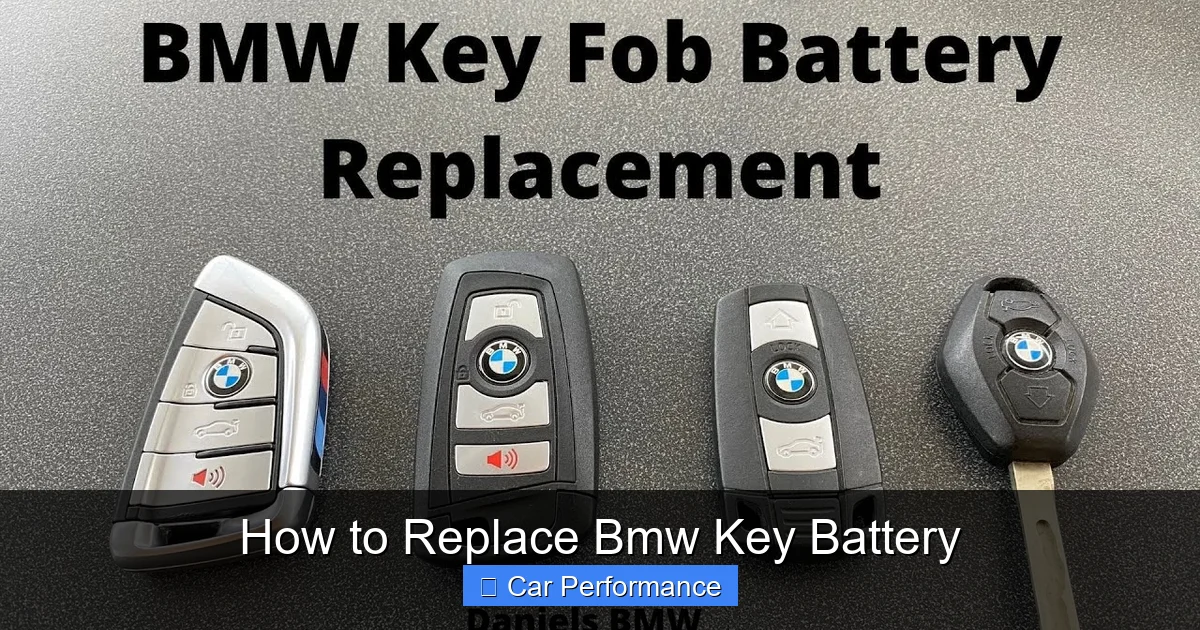
Visual guide about How to Replace Bmw Key Battery
Image source: i.ytimg.com
The Essential Pry Tool
The most important tool is something thin and flat. Many people reach for a flathead screwdriver, but metal can scratch the shiny finish of your BMW key. Instead, try using a plastic trim removal tool, a credit card, or even a sturdy guitar pick. If you must use a small screwdriver, wrap the tip in a thin piece of electrical tape to protect the plastic casing.
Safety and Cleanliness
You should work on a clean, flat surface like a kitchen table. Since these batteries are tiny, they are easy to lose if you are working over a carpet. Having a soft cloth to lay down ensures that if you drop the small internal components, they won’t bounce away. Additionally, wash and dry your hands to ensure you aren’t introducing moisture or oils into the fob’s delicate circuitry.
Step-by-Step: Replacing the Battery
Now that you are prepared, let’s go through the actual process. Stay calm and take your time. There is no need to force the plastic pieces. If it feels stuck, just pause and re-check your angle.
Removing the Emergency Key
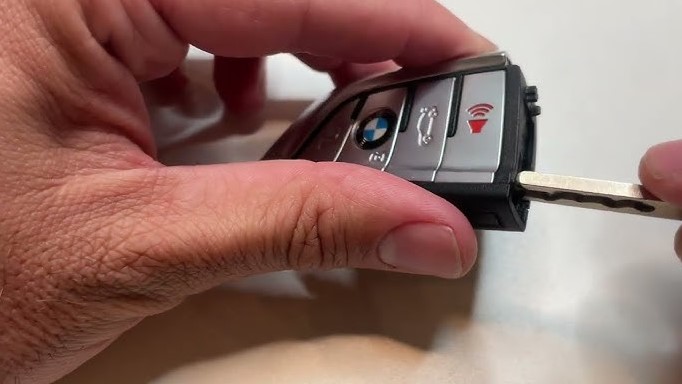
The first step is always to remove the physical blade key hidden inside the fob. Look for a small button on the side or bottom of the key. Press it firmly and pull the metallic key blade out. This blade is essential for emergencies and acts as a hidden handle for the next steps.
Opening the Casing
With the metal key out, look at the slot where it was stored. You will see a small seam running around the perimeter of the fob. Use your plastic pry tool or the edge of your metal key blade to gently wiggle along this seam. The plastic back cover will eventually pop off. Do this slowly so you don’t snap any of the tiny plastic tabs that hold the cover in place.
Replacing the Battery and Reassembly
Once the back is off, you will see the battery staring right at you. It looks just like a shiny coin. It is usually held in place by a small metal clip. You can nudge it out with your fingernail or the edge of your plastic tool. Remember which side is facing up—usually, the side with the text and the plus sign should face upward.
Installing the New Battery
Take your new CR2032 battery and slide it into the slot. Make sure it sits flush. If it is sitting at an angle, the electrical contact won’t be solid, and your key won’t work. Once it is in place, you should feel it click into position. Wipe the battery off with a clean cloth before installing it to remove any fingerprints, which can sometimes interfere with conductivity over a long period.
Putting the Fob Back Together
Take the plastic back cover and align it with the main body. Press down firmly until you hear a series of “snaps.” These snaps are the clips locking back into place. Slide the emergency metal key back into its slot until it clicks. That is it! You have successfully mastered how to replace BMW key battery.
Troubleshooting Common Issues
What if it still doesn’t work after you put a new battery in? Don’t panic. Sometimes, a reset is required or there might be a simple oversight. Let’s look at how to get things back to normal.
Double-Check Orientation
The most common mistake is putting the battery in upside down. It sounds simple, but it happens to the best of us. If your car isn’t responding, open the fob back up and confirm that the side with the “+” sign is facing exactly how the old one was. If you have any doubt, look for a small diagram inside the plastic casing that shows the orientation.
Syncing the Key
Sometimes, after a battery change, the car might not immediately “recognize” the fob. This is rare, but if it happens, try holding the fob directly against the steering column where the key symbol is located. Start the car with the fob in that position. This often forces the car and the key to re-handshake and sync their security codes.
Maintaining Your Key Fob for Longevity
Now that your battery is fresh, you want to keep it that way. BMW keys can be sensitive to environmental factors. Here are a few ways to ensure your fob lasts as long as possible before the next battery change is required.
Avoiding Signal Interference
Your key fob is constantly emitting a faint signal. If you keep it right next to your smartphone or other electronics in your pocket, the fob may work harder than it needs to, which can drain the battery faster. Try to keep your key in a dedicated pocket away from your phone and wireless chargers.
Keep it Dry
While the key is sturdy, it is not waterproof. If your key fob goes through the laundry or gets dropped in a puddle, the moisture can corrode the battery contacts. If it does get wet, open it up immediately, remove the battery, and let everything air dry for 24 hours before putting it back together. With these simple tips, your BMW experience will remain seamless and worry-free.
By following these steps, you are not just changing a battery; you are taking ownership of your driving experience. Understanding how to maintain your vehicle, even the small parts, builds a deeper connection between you and your car. Enjoy the convenience and the peace of mind that comes with knowing your BMW key is in perfect working order.
Frequently Asked Questions
Do I need to reprogram my key after replacing the battery?
In most cases, no. Your BMW key fob should automatically reconnect with the vehicle once the new battery is installed and a button is pressed.
What if my key fob still doesn’t work after the battery change?
First, verify the battery is facing the correct direction and that it is the correct size. If it still fails, try holding the key against the steering column while starting the engine to re-sync the system.
Can I use a rechargeable battery if my key came with a standard one?
No, you should always use the exact type of battery specified in your owner’s manual. Using the wrong chemistry or voltage can damage the internal components of the fob.
How long should a BMW key battery typically last?
A standard BMW key battery usually lasts between two and four years depending on how often you use the comfort access features. Frequent use of remote start or unlocking functions may shorten this lifespan.
Is it better to take the key to the dealer for a battery change?
While the dealer can do it, learning how to replace it yourself is much faster and cheaper. It is a very safe process as long as you use a plastic tool to avoid scratching the plastic casing.
Does the battery type vary by BMW model?
Yes, different generations and models may use slightly different battery sizes, such as CR2032 or CR2450. Always check the markings on your old battery before purchasing a replacement.