

Preconditioning your Tesla battery is the secret to unlocking faster charging speeds and better cold-weather performance. By warming or cooling the battery before you reach a destination, you ensure your car operates at its maximum efficiency and power output every time you drive.
If you have spent any time in the electric vehicle community, you have likely heard the term “preconditioning” tossed around. For new Tesla owners in 2026, understanding how to precondition Tesla battery systems is one of the most important skills you can master. Think of your battery like a human athlete. If you walk out onto a track and try to sprint at full speed without warming up, your muscles will be tight and you will not perform your best. Your battery is exactly the same way.
When the temperature inside your battery pack is too cold or too hot, the chemicals inside struggle to move electricity efficiently. When you learn how to precondition Tesla battery systems, you are essentially telling your car to prepare its internal environment. This ensures that when you arrive at a Supercharger or head out on a long trip, your vehicle is ready to perform at its peak. Let’s dive into why this matters and how you can master it for your daily drives.
Key Takeaways
- Faster Charging: Preconditioning allows your Tesla to accept higher power levels at Superchargers, cutting your wait time significantly.
- Battery Longevity: Keeping your battery within optimal temperature ranges reduces chemical stress, helping your pack last longer.
- Improved Range: Preconditioning while plugged in saves your battery energy, as the car pulls power from the grid instead of your cells.
- Automated Ease: Using the Tesla navigation system to set a charging stop will trigger automatic preconditioning for you.
- Winter Performance: In freezing temperatures, preconditioning clears frost and ensures the battery provides full regenerative braking immediately.
- Energy Efficiency: Always try to precondition while the car is connected to a wall charger to avoid draining your range before you even start.
Understanding the Basics of Battery Thermal Management
To really grasp why you need to precondition, you have to understand the chemistry inside your car. Tesla uses sophisticated lithium-ion batteries that thrive in a “Goldilocks” zone. They do not like to be too cold, and they do not like to be too hot.
If you drive your Tesla in the dead of winter, the battery temperature drops significantly. This increases internal resistance, which slows down your charging speed and reduces your available power for acceleration.
The Role of the Heat Pump
In modern Tesla models, the advanced heat pump system is the hero of preconditioning. This system is incredibly smart; it can move heat from the outside air into the battery, or pull heat from the battery and motors to warm the cabin.
When you start the preconditioning process, the car uses this heat pump to bring the battery pack to an ideal temperature. By doing this work ahead of time, you avoid the energy penalty that comes with trying to heat up a cold battery while driving.
Why Temperature Matters for Charging
Have you ever plugged in your Tesla at a Supercharger and noticed it was charging much slower than expected? This often happens because the battery is too cold. The car’s software will limit the intake of energy to protect the longevity of the cells.
When you know how to precondition Tesla battery systems, you effectively override these limitations. You are warming the battery so that it can safely accept high-speed electrons the moment you plug in.
The Easiest Way: Using Tesla Navigation
The smartest thing Tesla did was automate the process for you. If you are planning a trip that requires a stop at a Supercharger, you should always use the built-in Tesla navigation system. When you enter a Supercharger as a destination, the car automatically knows you are going to charge. It will start the preconditioning process about 30 to 45 minutes before you arrive.
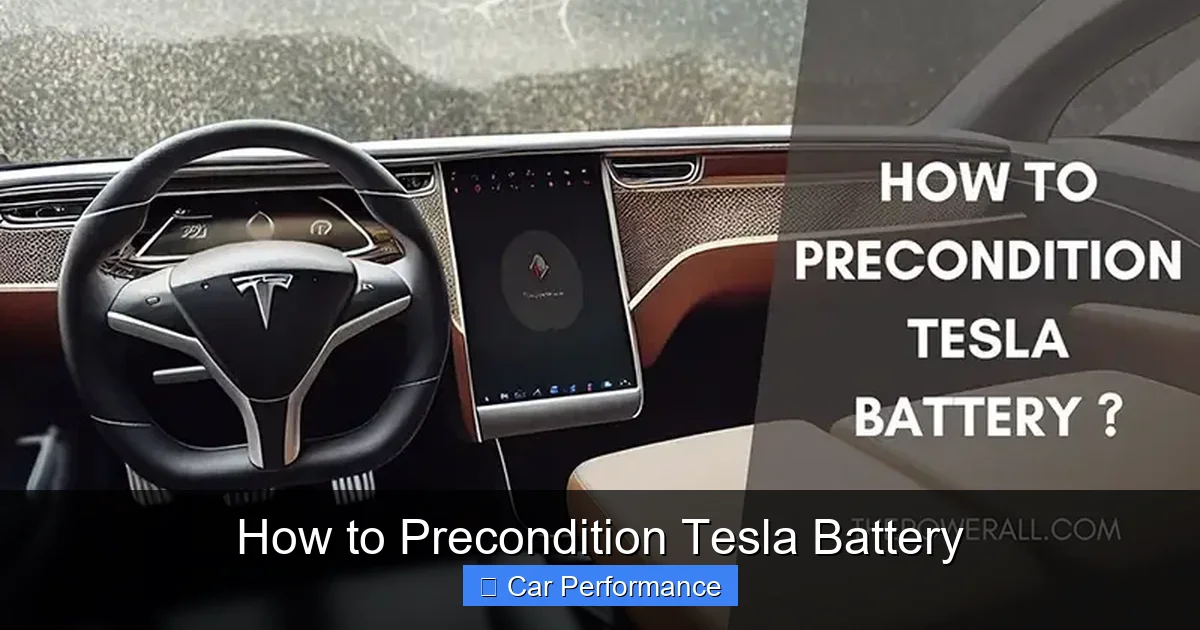
Visual guide about How to Precondition Tesla Battery
Image source: thepowerall.com
How the Automatic Trigger Works
As you get closer to the station, the car starts drawing power to warm or cool the battery cells. You might notice a small icon on your screen that says “Preconditioning for fast charging.” This is your sign that the car is working hard to give you the best experience possible. By using the navigation, you don’t have to worry about manual settings or timing—it is all handled by the car’s internal brain.
When to Use Manual Intervention
While the navigation works 95% of the time, there are rare occasions where you might want to force the issue. If you are going to a third-party charger that isn’t in the Tesla database, the car won’t know to start the process.
In these cases, your car might struggle to charge quickly. By learning how to precondition Tesla battery systems manually—usually by starting the cabin climate from the app you can help the battery prepare even if the destination isn’t mapped.
Preconditioning for Winter Cold Weather
Winter is the season where preconditioning really shines. In 2026, with the latest battery chemistry, your Tesla is better than ever, but freezing temperatures still present a challenge. Without preconditioning, you might notice “limited regenerative braking” or a slower throttle response when you first start your morning commute. Preconditioning fixes this by bringing the battery up to a comfortable temperature before you even open the garage door.
Saving Range on Cold Days
A common misconception is that preconditioning wastes energy. While it uses some electricity, it is actually more efficient to do it while your car is plugged into a home charger. By drawing power from the wall to warm the cabin and the battery, you arrive at your destination with a full battery that is already at operating temperature. If you wait until you are on the road, the car has to steal that energy from your battery pack, which reduces your total driving range.
Scheduling Your Departures
One of the best features in the Tesla app is the “Scheduled Departure” setting. You can tell your car what time you usually leave for work. The car will then automatically start the preconditioning process so that the cabin is toasty warm and the battery is ready to go exactly when you step out the door. It makes your morning routine much smoother and preserves the health of your battery over the long term.
The Benefits of Keeping Your Battery Healthy
Learning how to precondition Tesla battery systems isn’t just about speed; it’s about the long-term health of your vehicle. Lithium-ion batteries are sensitive to extreme conditions. Charging a frozen battery can lead to lithium plating, which is a chemical process that reduces your battery’s capacity over time. By warming the battery before you charge, you are preventing this damage.
Maximizing Your Total Range
When your battery is at the right temperature, it is simply more efficient. The internal electronics and the motor controllers work better, and the battery provides power with less “friction.” You will find that you get more miles per kilowatt-hour when the system is preconditioned. It is a small step that pays off in big savings at the charging station over the life of your car.
Reducing Stress on Charging Infrastructure
When you arrive at a Supercharger with a preconditioned battery, you charge faster and leave sooner. This is actually a courtesy to other Tesla owners! By being efficient, you help keep the lines moving. If everyone showed up with a “cold” battery, everyone would be waiting much longer, which clogs up the charging network. Keeping your battery ready makes the whole ecosystem better for everyone.
Common Mistakes to Avoid
Even experienced drivers can make mistakes when learning how to precondition Tesla battery systems. One of the most frequent errors is not plugging in overnight. If your battery is low, the car may disable preconditioning to save enough energy for you to reach a charger. Always keep your car plugged in if you want the best performance features to work automatically.
Ignoring the Weather Alerts
If you live in a climate with extreme temperature swings, keep an eye on your Tesla app. If you see a notification that your car is prepping the battery, don’t interrupt it. Sometimes, people get in their car, see the fan running, and turn off the climate control because they think it’s an error. Let the system finish its cycle; it knows exactly what it is doing.
Not Updating Your Software
Tesla is constantly updating its battery management software. By 2026, the algorithms for preconditioning have become much more precise. If you are running old software, you might not be getting the full benefit of these improvements. Always ensure your car is connected to Wi-Fi and that you have installed the latest firmware updates to keep your battery management system at the cutting edge.
Conclusion
Mastering how to precondition Tesla battery systems is one of the easiest ways to become a power user. It turns a good driving experience into a great one by ensuring your car is always ready, efficient, and long-lasting. Whether you are prepping for a cross-country road trip or just trying to survive a snowy morning commute, these habits will keep your Tesla running at peak performance.
Remember, the best way to keep things simple is to rely on the Tesla navigation, stay plugged in whenever possible, and let the software do the heavy lifting. By taking these small steps, you are protecting your investment and ensuring that your Tesla continues to provide that signature thrilling performance for many years to come. Now, get out there, plug in, and enjoy the drive!
Frequently Asked Questions
Does preconditioning use a lot of energy?
Preconditioning uses some electricity, but it is much more efficient when the car is plugged into a home charger. By drawing power from the grid rather than your battery, you preserve your driving range for the trip ahead.
How do I know if my Tesla is currently preconditioning?
When navigating to a Supercharger, you will see a notice on your center display indicating that the car is “preconditioning for fast charging.” You may also notice the cooling fans running or a slight change in the climate control settings while the car warms the battery.
Can I precondition my Tesla if it is not plugged into a charger?
Yes, you can, but it will pull the energy directly from your battery pack. If your battery level is very low, the car might limit or disable preconditioning to ensure you have enough range to reach your destination safely.
How long does the preconditioning process take?
It typically takes between 30 and 45 minutes to bring the battery to the optimal temperature, depending on the outside temperature and the starting state of the battery pack.
Why does my regenerative braking feel weak in the morning?
Regenerative braking is often limited when the battery is too cold to accept the surge of energy. Preconditioning your car before you leave the house helps warm the battery so you can enjoy full regenerative braking from the moment you start driving.
Should I precondition even on warm days?
Yes, preconditioning is not just for cold weather. It also helps cool the battery down if it is too hot, ensuring that you receive the fastest possible charging speeds regardless of the outside temperature.